

Table of Contents
- Graphic Tee Design Ideas for Beginners
- Best Software for T-Shirt Design
- T-Shirt Printing Methods Explained
- Creating Your Design File: Formats and Resolution
- DIY Printing at Home vs. Professional Printing
- Copyright and Eco-Friendly Options for Graphic Tees
- Frequently Asked Questions
Last Updated: September 15, 2026
Graphic Tee Design Ideas for Beginners
The fastest way to design your own graphic tees is to start with a joke you already tell, then build the artwork around it. Funny graphic tees sell because the punchline does the work. This guide walks through the whole process, from bad idea to wearable punchline, without pretending you need an art degree.
Here's the honest version most guides skip: the design matters less than the joke. A wobbly hand-drawn cat with a perfect caption beats a technically flawless design with nothing to say. If you have ever texted a friend "this is so us," you already have a design brief.
Below, we'll cover beginner-friendly ideas, the software worth your time, printing methods, file formats, and where to draw the line on copyright. The five idea categories we cover have one thing in common: they're the ones people actually wear twice.
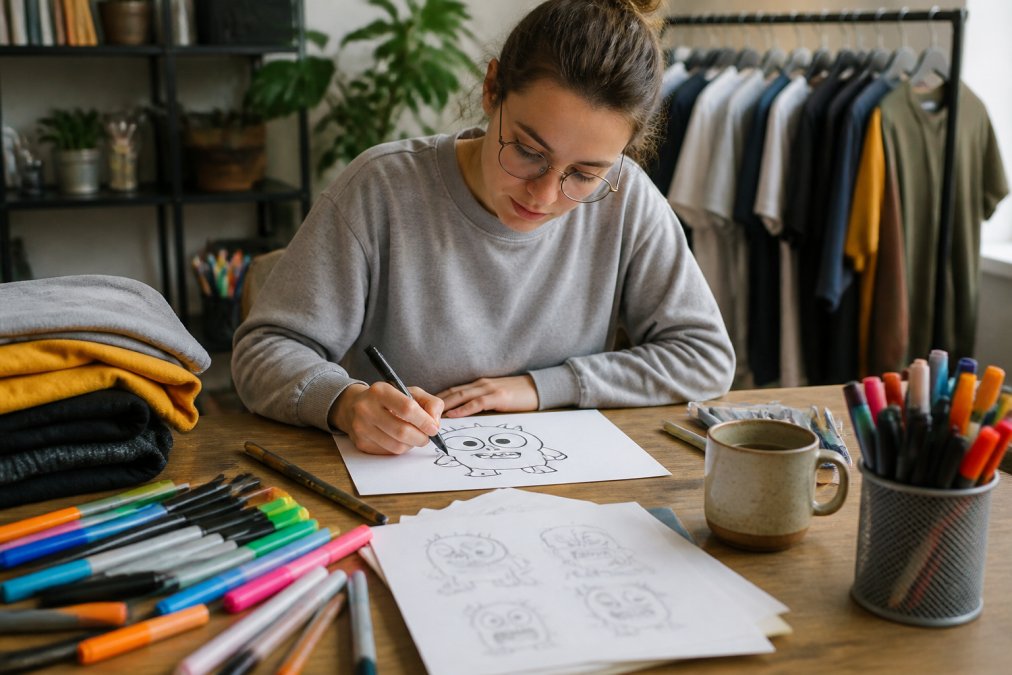
Five categories cover most beginner designs:
- Puns and wordplay: short, groan-worthy, instantly readable across a room
- Pop-culture nods: reference the vibe, never the trademarked logo
- Everyday relatability: "running late is my cardio" energy
- Seasonal humor: Halloween, Back to School, Valentine's, Christmas
- Inside jokes: friend-group or workplace humor with a narrow but loyal audience
A common mistake is designing for everyone. Narrow jokes get worn more, because the person wearing it feels seen.
Best Software for T-Shirt Design
The best software for t-shirt design depends on how much control you want. Canva and Kittl suit beginners who want templates and a mockup generator. Inkscape and Adobe Illustrator suit anyone producing vector files for screen printing. Procreate and Photoshop work well for raster artwork, though you'll need to manage resolution carefully.
For a first design, a template library is not cheating. It's a starting grid. What most guides miss is that the pros use templates too, they just customize harder.
Free options worth trying:
- Canva: drag-and-drop layout, typography presets, quick mockups
- Inkscape: open-source vector editing, exports clean SVG files
- Photopea: browser-based raster editing when you don't want to install anything
Paid options earn their keep when you need precise color control or print-ready vector output. The Adobe guide to vector graphics explains why vector art scales cleanly where raster art pixelates.
T-Shirt Printing Methods Explained
T-shirt printing methods explained in one line: screen printing is best for bulk, heat transfer and vinyl suit small runs, and direct to garment handles detailed full-color art. But the method you pick changes how you should build the design file, so let's go method by method instead of pretending one table settles it.
| Method | Best For | Design Impact | Typical Run Size |
|---|---|---|---|
| Screen printing | Bulk orders, bold designs | Limit colors, use solid shapes, separate each color | Dozens to thousands |
| Heat transfer (DTF/transfer paper) | Small runs, photos, full-color art | Full color, needs high resolution | One to a few dozen |
| Vinyl cutting | Simple text, one-color art | Vector files only, no gradients | One to a few dozen |
| Direct to garment (DTG) | Detailed, multi-color art | High DPI, no color limits, cotton-friendly | One to hundreds |
| Print on demand | Testing designs, no minimums | Flexible, per-item pricing, method varies by vendor | One at a time |
Screen printing. Each color in your design becomes a separate screen, so a 12-color gradient means 12 screens, which is why screen printers ask you to simplify. Build your art with flat, solid fills, limit yourself to a handful of spot colors, and separate each color onto its own layer. Screen printing wins on per-unit cost once you're ordering in bulk, and it survives the wash better than almost anything else.
Heat transfer and DTF. A design is printed onto a transfer sheet, then pressed onto the shirt with a heat press. This is the friendliest method for photos, gradients, and full-color art because there's no color limit. The catch: resolution matters. A 72 DPI image that looked fine on your phone will look like a blurry thumbprint on a shirt. Aim for 300 DPI at full print size, and remember that the transfer sits on top of the fabric, so heavy coverage can feel a little stiff.
Vinyl cutting. A cutting machine (Cricut, Silhouette, or a commercial cutter) slices your design out of a sheet of heat-transfer vinyl, which you then press onto the shirt. Vinyl is vector-only, no gradients, no soft edges, no photos. It's perfect for one-color text, simple icons, and small batches. If you're making one shirt for a friend's birthday, this is often the fastest path from idea to wearable.
Direct to garment (DTG). A modified inkjet printer sprays water-based ink directly onto the fabric. DTG handles intricate, multi-color art with no color limits and no setup screens, which makes it great for detailed designs and small runs. It works best on 100% cotton; on synthetic blends the ink can fade faster. Build your file at 300 DPI with a transparent background and let the printer handle the rest.
Print on demand (POD). You upload a design, a vendor prints and ships each order as it comes in. No minimums, no inventory, no boxes of unsold shirts in your garage. The trade-off is per-item pricing and less control over the exact method, some POD vendors use DTG, others use DTF. If you're testing ten jokes to see which one lands, POD and heat transfer let you order one at a time.
And if all this method talk makes you want to skip straight to wearing the joke, we get it, our funny graphic tees are already printed, already washed-tested, and already ready to make someone snort coffee.
Creating Your Design File: Formats and Resolution
A print-ready design file is a high-resolution image with a transparent background, sized to the print area, in the format your printer requests. That usually means 300 DPI at full print size, or a vector file that scales to any size without losing quality. But "print-ready" means different things depending on how the shirt will be printed, and this is the part most guides skip.
Raster vs. vector, in plain English. Raster images are built from pixels and blur when enlarged. Vector files are built from math and stay sharp at any size. For logos, text, and simple shapes, go vector. For photos and painterly art, go high-resolution raster.
Key file formats:
- PNG: raster with transparency, good for DTG and heat transfer
- SVG: vector, ideal for vinyl cutting and screen printing
- AI and EPS: vector formats printers commonly request
- PDF: universal handoff format that preserves vectors
Optimizing for the method. This is where a design either sails through production or comes back with a sad email from your printer.
- For screen printing: flatten your art to a handful of solid spot colors, put each color on its own layer, and avoid gradients and soft shadows.
DIY Printing at Home vs. Professional Printing
Skipping the test print is the most common beginner mistake. Always print one shirt first and wash it before committing to a full run. A design that looks great on screen can crack, fade, or peel after one cycle.
Copyright and Eco-Friendly Options for Graphic Tees
Frequently Asked Questions
What do I need to start making graphic tees?
To start making graphic tees, you need a design idea, a computer or tablet with design software, and a blank t-shirt. For printing, you can order from a print-on-demand service. If you're designing for yourself, a simple graphic design app like Canva works well. Don't forget to consider the fabric of your blank tee, as 100% cotton works best for most printing methods.
What file formats are required for professional t-shirt printing?
Professional printers typically require vector files (SVG, AI, EPS) for screen printing, as they scale without losing quality. For direct-to-garment (DTG) printing, high-resolution PNG files with a transparent background at 300 DPI are standard. Always check with your printer for specific requirements. If you're using a print-on-demand service, they often accept PNG, JPG, or PDF files, but vector formats give the best results for text and simple graphics.
Can I use AI tools like ChatGPT to generate t-shirt design ideas?
Yes, AI tools like ChatGPT can help brainstorm t-shirt design ideas, generate slogans, or suggest visual concepts. You can ask for puns, pop-culture references, or relatable humor. However, AI-generated text or images may not be original enough for commercial use without modification. Use AI as a starting point, then refine the design yourself or with a designer to ensure it's unique and copyright-safe.
How do I choose the right t-shirt fabric for my design?
The fabric affects how your design looks and lasts. 100% cotton is the most common choice for screen printing and DTG because it holds ink well. Cotton-poly blends are softer and less likely to shrink. For heat transfer vinyl, cotton or cotton-poly blends work best.
Designing your own graphic tees comes down to one thing: a joke worth wearing. The software, files, and printing methods are just how you get there. If you'd rather skip the printer's proof and the test wash, Caltucky Creations already did the hard part, with original funny designs across tees, hoodies, candles, mugs, and cozy blankets that hold up wash after wash. Continue shopping and let your sense of humor do the talking.