

Table of Contents
- Why Your Kid's Backpack Is a Silent Frenemy
- Ergonomic Backpack Features for Students: What Actually Matters
- How to Prevent Back Pain from Heavy School Bags
- The Best Ergonomic Pens for Long Study Sessions
- Desk Setup 101: Chairs, Book Stands, and Screens
- Ergonomic School Supplies by Grade Level
- DIY Ergonomic Hacks for Home Study Spaces
- The Bottom Line: Comfort Now Prevents Pain Later
- Frequently Asked Questions
Last Updated: September 4, 2026
Why Your Kid's Backpack Is a Silent Frenemy
Every August, parents strap a bag onto their kid's shoulders and send them off without a second thought. But that seemingly innocent backpack, loaded with textbooks, a laptop, and a half-eaten apple, is quietly waging war on your child's spine. A poorly fitted bag isn't just uncomfortable; it's a setup for chronic issues that can follow them well past graduation.
At Caltucky Creations, we spend a lot of time thinking about what students actually carry, which is why our fabric backpacks are designed with padded back panels and adjustable shoulder straps. Most parents focus on the coolest print or the biggest capacity, ignoring how the weight sits on developing bodies. Musculoskeletal support isn't a luxury feature; it's the core job of a school bag.
A heavy bag forces kids to lean forward, rounding their shoulders and straining the neck. This postural stress, repeated daily, can lead to back pain that many dismiss as growing pains. Below, we'll show you exactly how to choose gear that protects your student.
Ergonomic Backpack Features for Students: What Actually Matters
Forget the brand logo; the construction of the bag is what counts. The most critical features include a padded back panel, wide and adjustable shoulder straps, and a lightweight frame. A padded back panel prevents books from digging into the spine, while adjustable straps allow the bag to sit high on the back rather than sagging toward the hips (the CDC).
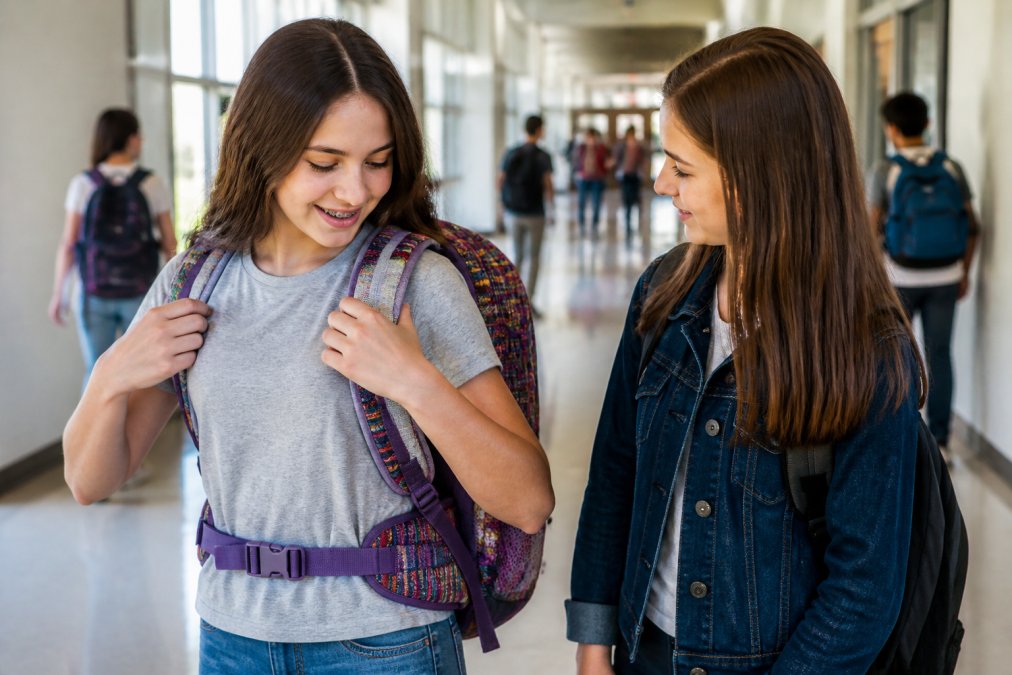
Weight distribution is the name of the game. Slinging one strap over a shoulder throws off posture alignment and concentrates all the load on one side of the body. A chest strap or waist belt can also help transfer some of the load from the shoulders to the pelvis, which is far better equipped to handle it.
How to Prevent Back Pain from Heavy School Bags
You don't need to wait for a complaint of back pain to take action. Prevention begins with a simple rule: the bag should weigh no more than 10 to 15 percent of your child's body weight (aap.org). If your 80-pound third-grader is hauling 15 pounds of stuff, it's time to declutter.
The real culprit is often what's not in the bag. Kids carry everything "just in case," turning a simple backpack into a mobile storage unit. A common mistake is letting the heaviest items float loose at the bottom. Place the heaviest books closest to the back panel so the load rests against the body's center of gravity.
Packing smart is only half the battle. The other half is choosing a bag that doesn't add unnecessary weight itself. A lightweight, waterproof nylon bag, like the Dolphins Leaping at Sunset Fabric Backpack at $25.00, offers the durability needed for school without the heavy canvas that some fashion brands use.

The Best Ergonomic Pens for Long Study Sessions
Once the load is off their back, the next silent threat is the grip in their hand. The best ergonomic pens reduce pressure on finger joints and prevent muscle fatigue during note-taking. Not all 'ergonomic' claims are equal, so here's what actually works when your student is grinding through three pages of notes.
The Problem with Standard Pens
Standard pens are thin, forcing a tight, 'death grip' that contributes to hand cramps and repetitive strain. A narrow barrel requires more muscle force to hold steady, which fatigues the intrinsic muscles of the hand. Over a semester, that fatigue turns into pain that makes students dread writing.
What to Look For (and What to Avoid)
The Triangular Barrel - Pens with a triangular cross-section gently guide fingers into a tripod grip without forcing it. This is the most common and generally safest choice for younger students who are still developing fine motor skills.
The Cushioned Grip - A soft, silicone or gel grip zone adds diameter and absorbs pressure. Look for one that's not too squishy; if it compresses completely, it offers no support. A grip that's about 1/4 inch thick is a solid middle ground.
The Weighted Pen - A slightly heavier pen (around 15-20 grams) provides proprioceptive feedback, which helps some students write with more control and less death-grip pressure. This is a personal preference, so let your student test one before committing.
What to Avoid: Pens with slippery metal barrels, ultra-thin 'fashion' pens, and any grip that forces fingers into an unnatural position. If the grip has ridges that dig into the skin, it will cause sore spots, not prevent them.
The Pencil Grip Question
For students who prefer pencils, a separate pencil grip is often the better route. The classic 'tripod' grip (the one that looks like a little hollow triangle) is the gold standard for elementary students. For older students, a 'stubby' grip that sits higher on the pencil can help reduce the tendency to choke up too close to the tip, which blocks visibility and causes awkward wrist angles.
A Note on Left-Handed Students
Left-handed writers face a unique challenge: they push the pen across the page rather than pulling it. This creates more friction and requires more force. Look for pens with quick-dry ink to prevent smudging, and consider a left-handed-specific ergonomic pen that angles the nib to reduce wrist strain. A common pattern is that left-handed students benefit from a slightly higher grip position to see what they're writing.
The Real Test
The best ergonomic pen is the one your student forgets they're holding. Have them write a full page of notes with a candidate pen. If they complain of fatigue, cramping, or need to shake out their hand, it's not the right fit. If they finish without thinking about it, you've found a winner.
Desk Setup 101: Chairs, Book Stands, and Screens
A good bag and pen won't save a student who studies for hours in a terrible setup. Workspace ergonomics is about creating a study environment that supports the body, not just the textbooks. Let's get specific about the numbers that matter for growing spines.
The Height-to-Desk Ratio That Actually Matters
The single most important measurement is the relationship between chair height and desk height. When your student sits with their back against the chair, their elbows should rest on the desk at a 90-degree angle, with shoulders relaxed. If they have to shrug to reach the desk, it's too high. If they're slouching down to rest their forearms, it's too low.
Here's the concrete breakdown by age group:
| Student Age | Approximate Desk Height | Approximate Chair Height | Visual Distance to Screen |
|---|---|---|---|
| Elementary (5-8) | 20-22 inches | 12-14 inches | 18-24 inches from screen |
| Middle School (9-12) | 24-26 inches | 14-16 inches | 20-28 inches from screen |
| High School (13+) | 28-30 inches | 16-18 inches | Arm's length (about 24-30 inches) |
A desk that's too high forces the student to elevate their shoulders, creating chronic tension in the trapezius muscles. A desk that's too low encourages hunching over the work, compressing the cervical spine.
The '90-90-90' Rule for Chairs
The chair setup comes down to three right angles: ankles at 90 degrees (feet flat on the floor), knees at 90 degrees, and hips at 90 degrees. If your student's feet don't reach the floor, a simple step stool or a stack of sturdy books works perfectly as a footrest. This prevents pressure on the back of the thighs, which can restrict blood flow and cause restless legs during study time.
The Book Stand: Not Just for Cookbooks
For reading, a book stand is a game-changer. It brings the text to eye-level viewing, eliminating the forward head posture that comes from looking down at a desk. A 45-degree angle is ideal for reading, while a 60-70 degree angle works better for writing or copying text.
The Screen Height Rule That Prevents 'Tech Neck'
For laptops and tablets, the top third of the screen should be at eye level. This forces the student to sit up rather than looking down. If you're using a laptop, you need a separate keyboard and mouse, because raising the screen to eye level makes the built-in keyboard unusable. A stack of thick books works as a temporary stand, but a dedicated laptop stand is more stable.
The 'Cockpit' Principle
Think of the desk as a cockpit. Everything you need should be within easy reach without stretching, and the most-used items should be directly in front. A simple desk organization system prevents awkward twisting and reaching that can cause repetitive strain injuries. Items you use every 5 minutes (pens, notebook, water) should be within a 12-inch radius. Items you use once an hour (calculator, ruler) can be further away.
The 20-20-20 Rule for Screen Time
For every 20 minutes of screen work, look at something 20 feet away for 20 seconds (aoa.org). This isn't just about eye strain; it also forces the student to change posture, breaking the cycle of static loading on the neck and shoulders. Set a timer if you have to.
When to Upgrade
If your student is complaining of neck or back pain after study sessions, don't ignore it. Have them sit at their desk and look straight ahead. If their ears are in front of their shoulders (rather than directly above them), their head is jutting forward. This 'forward head posture' is the most common issue, and it's almost always fixable with a simple screen raise and a chair height adjustment.
Ergonomic School Supplies by Grade Level
Ergonomics isn't one-size-fits-all; it evolves as kids grow. For elementary students, the focus is on lightweight bags and sensory-friendly tools. Their frames are small, so a mini bag with a chest strap is often better than a full-size one that encourages overpacking.
Middle schoolers hit a growth spurt and a homework spike. This is the age where a proper desk chair and a laptop stand become essential. Their bodies are changing rapidly, and a poor setup can cement bad habits. This is also the time to introduce organizational supplies to manage a heavier course load.
High school students need gear that supports longer study sessions and heavier laptops. A bag with a dedicated laptop sleeve is non-negotiable to protect the device and distribute its weight. The Maine Coon Cat Portrait Fabric Backpack at $30.00 offers the space for a laptop while maintaining the padded back panel needed for these longer days.

DIY Ergonomic Hacks for Home Study Spaces
You don't need to drop a fortune on a fancy ergonomic chair to make a difference. A rolled-up towel placed at the small of the back provides instant lumbar support when a chair lacks it.
For a laptop stand, a stack of thick books can raise the screen to eye level, forcing you to sit up straight. If you're using an external monitor, the same trick applies. The key is to avoid the "turtle neck" posture where your head juts forward toward the screen.
The Bottom Line: Comfort Now Prevents Pain Later
Choosing the best ergonomic school supplies for students is an investment in their long-term health, not just their grades. The habits formed in these years, from how they carry a bag to how they sit at a desk, carry into adulthood and affect their risk of chronic back and neck issues.
The good news is that ergonomics doesn't have to be boring. Whether it's a backpack that supports their spine or a mug that gets them through a study session, comfort can have personality. Caltucky Creations makes it easy to protect their posture without sacrificing their style, offering bags and accessories that are as fun as they are functional.
Start the school year right by checking your student's gear against these guidelines. A few small changes can make a world of difference in how they feel at the end of the day.
Frequently Asked Questions
What percentage of a student's body weight should a backpack be?
Pediatricians and physical therapists recommend keeping a loaded backpack under 10-15% of a student's body weight. For an 80-pound child, that means no more than 8-12 pounds. Packing the heaviest items closest to the back and using both shoulder straps helps distribute weight evenly and reduces the risk of back pain from heavy school bags.
Are ergonomic pens and pencils really worth it for students?
Yes, especially for students who write for long periods. Ergonomic pens have thicker, contoured grips that reduce the muscle strain caused by pinching thin barrels. This helps prevent hand fatigue and repetitive strain injuries during exams or long study sessions. Look for options with a triangular or cushioned grip to encourage a relaxed writing posture.
How do I know if my child's backpack fits correctly?
A properly fitted backpack should sit snugly against the back, with the bottom resting in the curve of the lower back, not hanging below the hips. The shoulder straps should be adjusted so the backpack doesn't pull backward, and the chest or waist strap should be buckled for extra support. If the backpack causes your child to lean forward, it's too heavy or poorly adjusted.
What is the best ergonomic school backpack for a high school student?
The best ergonomic school backpack for high school students features a padded back panel, adjustable shoulder straps, and a lightweight but durable design. Look for one with a laptop sleeve to protect tech and keep weight close to the spine. The Caltucky Creations fabric backpacks offer these features with waterproof nylon and fun designs that survive the high school style test.
Back-to-school season is a balancing act between what's cool and what's kind to your kid's growing body. At Caltucky Creations, we make that easier with durable, padded backpacks and lunch bags that carry the load without weighing them down. Get started with Caltucky Creations and give your student gear that works as hard as they do.
This article was written using GrandRanker